

Feedback board
Tell us what to build next — this is a direct line, not a suggestion box that disappears.
The Feedback Board gives you a direct voice in what gets built. Find it under Settings → Feedback. A public, no-account view of the board is built and on its way — for now, browsing, voting, and posting all happen right here in the app, signed in.
Submitting feedback
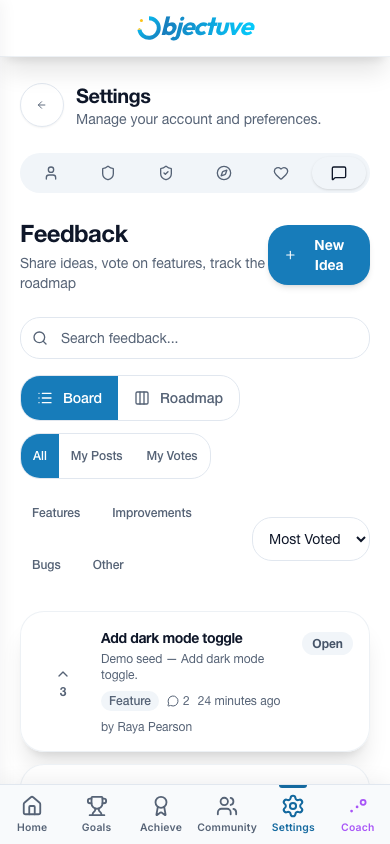
Tap New Idea to submit a feature request, improvement suggestion, or bug report:
| Field | Required | Limit |
|---|---|---|
| Title | Yes | 200 characters |
| Description | No | 2,000 characters |
| Category | Yes | Feature / Improvement / Bug / Other |
Voting and comments
- Upvote any post to signal interest — one vote per user, toggle on/off
- Comment on a post to add context or support (1,000-character limit)
- Filter by category chips: All, Features, Improvements, Bugs, Other
- Sort by Most Voted (default) or Newest
Roadmap view
TIP
Toggle to the Roadmap view to see feedback organized as a kanban board — Open, Planned, In Progress, Completed, and Declined. This is where you can see what the team is actually working on.