

Settings & your data
Your account, your appearance, your data — all in one place.
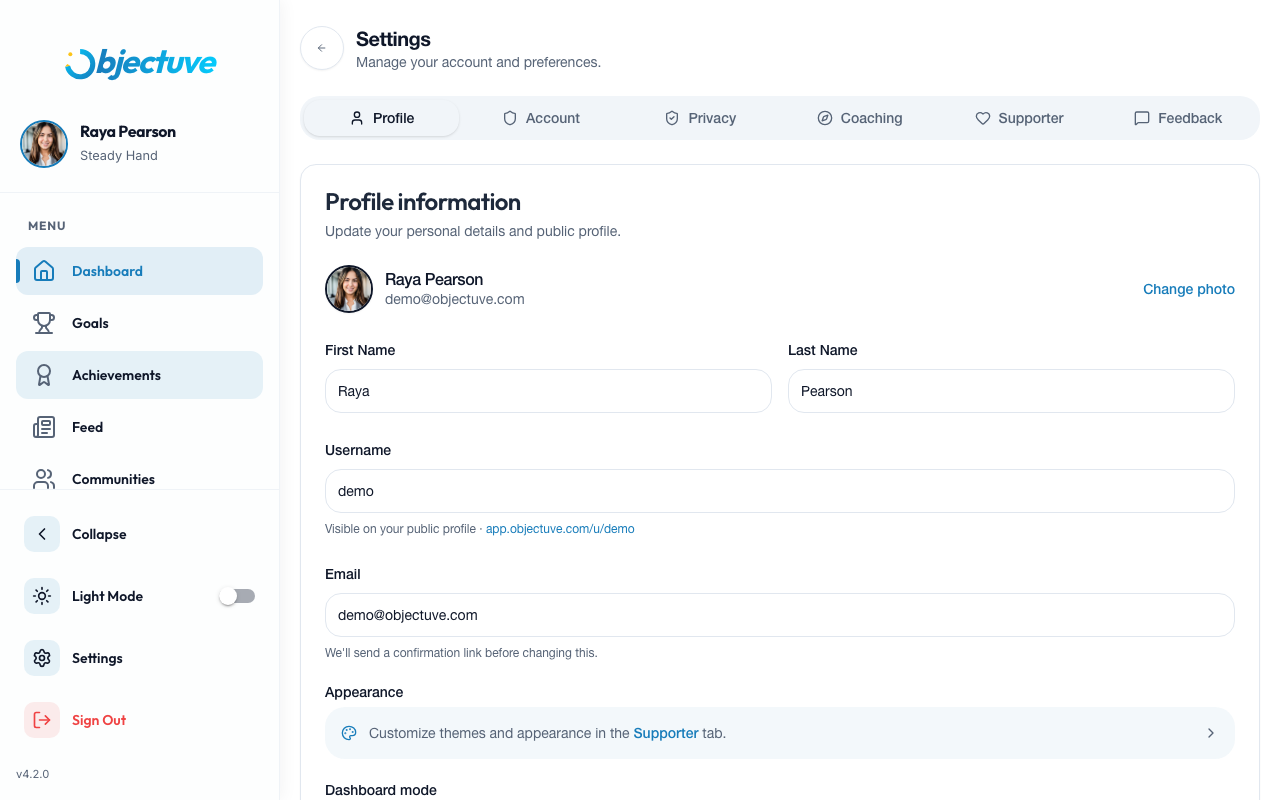
Profile
Edit your display name, username, email, and profile photo. Tap the camera icon on your avatar to upload a new photo with built-in cropping.
Appearance
Toggle between light and dark themes using the theme switch in the header or in Settings. Supporters have access to 9 additional color themes — the active accent color also re-tints the side navigation's selected item, so the whole shell stays cohesive.
Personalization
Open the Personalization tab to take or review your Enneagram assessment.
Dashboard mode & Coach
Choose how your Dashboard opens, and open Meet your Coach to change your persona, tone, focus, or rhythm any time.
Tours
The Tours tab lists every guided tour — the dashboard walkthrough plus one for each of Goals, Coach, Communities, Achievements, and the Feed — and shows whether you've completed, skipped, or not yet taken each one. Tap Start or Replay, and it opens right on that surface.
Your data (export)
| Setting | Details |
|---|---|
| Location | Settings → Privacy → Your data |
| Format | A ZIP with a machine-readable data.json plus per-table CSVs |
| Delivery | A secure download link, emailed, valid for 30 days |
| Rate limit | One export per day |
| Scope | Your own data only — excludes anything you've deleted |
Heads up
Export requests are rate-limited to one per day, so plan ahead if you're archiving your account.
Account and security
- Sign out — ends your current session
- Delete account — permanently removes your account and all data
Careful
Deleting your account can't be undone. Export your data first if you want to keep a copy.