

Your dashboard
The Dashboard is your home base — it adapts to where you are in your journey and what needs attention today.
First-week experience
If you haven't created a goal yet, the Dashboard opens with a calm first-week invitation from The Sage rather than empty cards. You'll see:
- A short message inviting you to start with one small practice
- Set your first goal and Talk to The Sage primary actions
- A list of suggested practices you can quick-add as habits
Dashboard sections (full view)
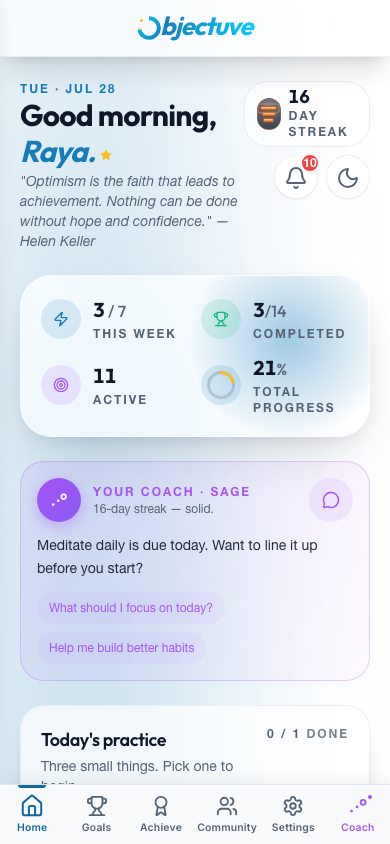
Once you have at least one goal, the full dashboard is organized into these sections:
| Section | What it shows |
|---|---|
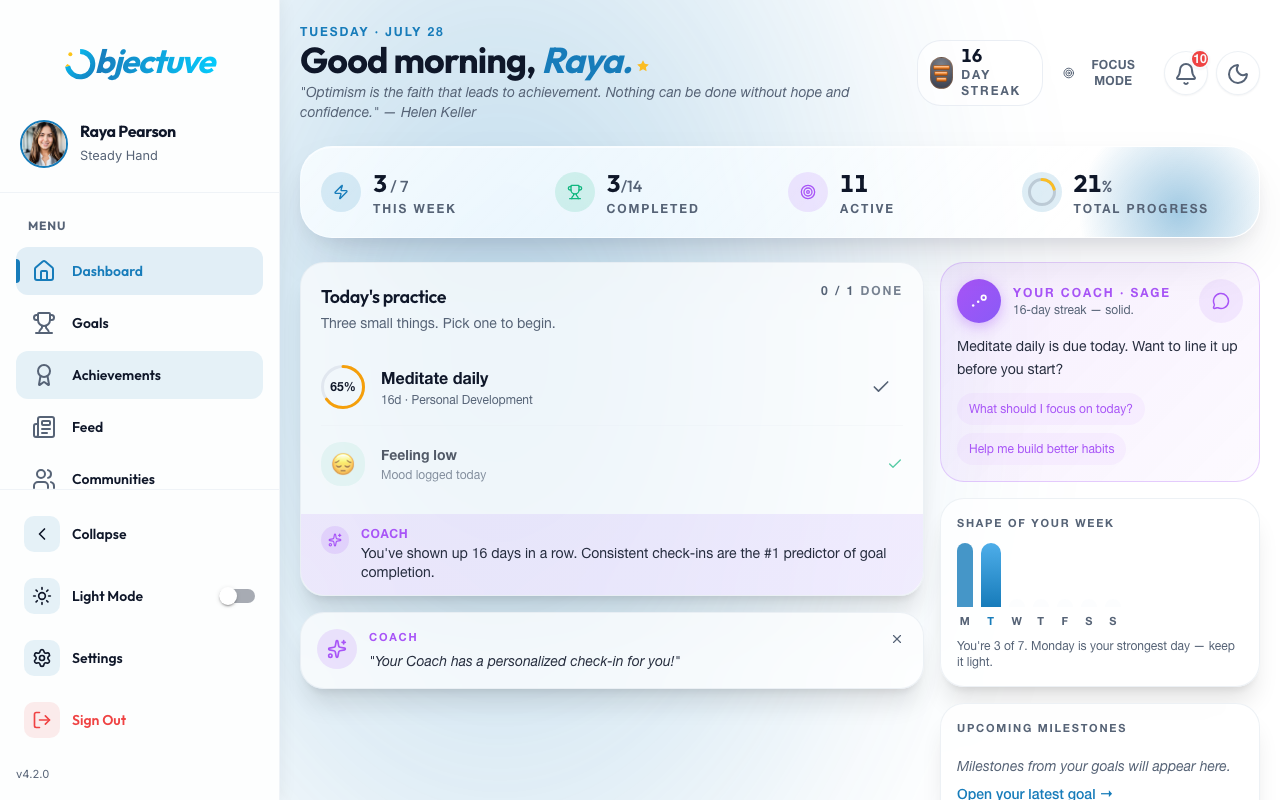
| Momentum bar | Current streak, this week's check-ins, completed vs. active goals, overall progress % |
| Critical Path | A "Today's puzzle" card with one small daily play — not tied to any one goal — tap Play |
| Today's practice | Up to three habits due today, a mood prompt, and a single Coach insight |
| Needs attention | An alert card for any urgent or stale goal, with a quick inline Update |
| Your goals | All active goals, sorted by priority — at-risk goals surface first |
| Partner widget | Your accountability partner's check-in status and a daily nudge button |
| Social | Encouragement and comment counts plus recent ally activity |
| Weekly activity | Seven day-circles (Mon–Sun) showing which days you checked in |
| Showcased achievements | Your selected badges on display |
Coach
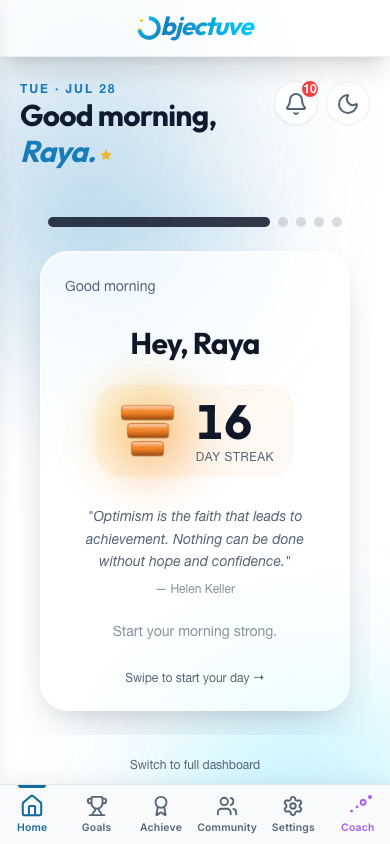
Your streak appears as a stones pill in the header — Supporters can switch it to a flame. It's cosmetic; the streak logic underneath never changes.
On desktop, the side navigation is always visible alongside the dashboard:
Streamlined view (Focus Mode)
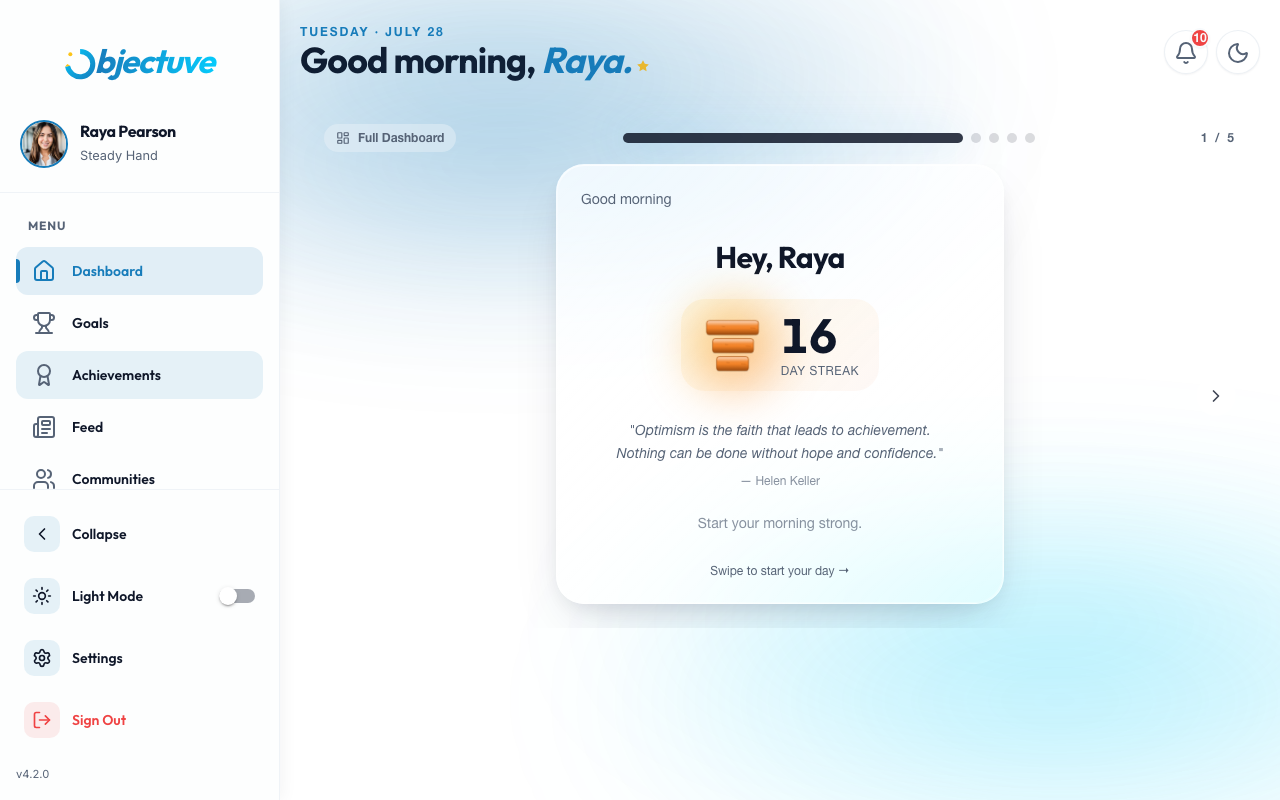
Streamlined view is a card-stack interface for quick daily check-ins (2–3 minutes). Instead of scrolling sections, you swipe through one card at a time:
- Greeting. Streak count and a motivational quote.
- Habit cards. One per habit due today — tap to check in (auto-skips completed habits).
- Mood. Tap a mood to log how you're feeling (skipped if already set today).
- Urgent goal. Shown if any goal needs attention, with an Add Progress button.
- Insight. A personalized tip from your Coach.
- Social nudge. A partner or ally cue, if relevant.
- Done. Celebration with confetti, session stats, and a link to the full dashboard.
Dashboard mode setting
Choose how the Dashboard opens in Settings → Dashboard mode:
| Mode | Behavior |
|---|---|
| Focus | Always opens in streamlined card-stack mode |
| Full | Always opens in the full dashboard |
| Auto (default) | Streamlined when everything's checked in and nothing's urgent; full dashboard when there's work to do |
Walk it through
A day on your dashboard
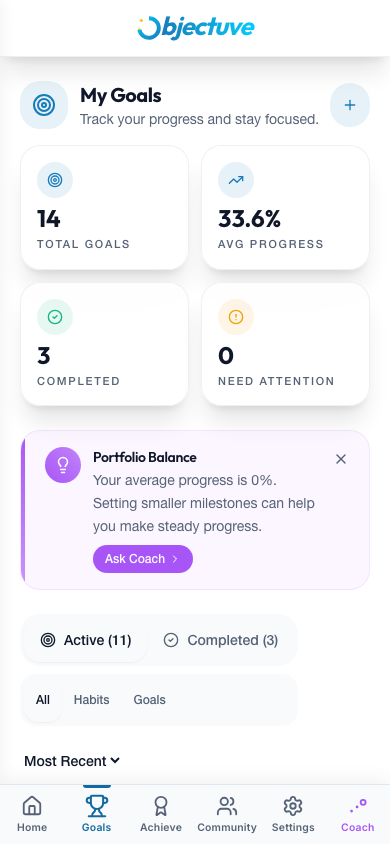
Your momentum bar leads: streak, this week's check-ins, progress.
Step 1 of 5: Your momentum bar leads: streak, this week's check-ins, progress.