
Goals
A goal is anything you're working toward — from a daily habit to a one-time milestone.
Goals list
The Goals tab shows all your goals with stats at the top: total count, average progress, completed, and goals needing attention.
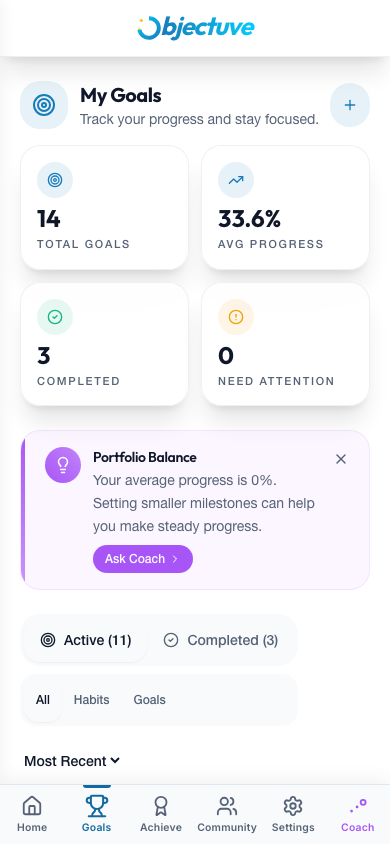
- Filter by type (All, Habits, Goals) and status (Active, Completed)
- Sort by most recent, priority, or category
- Search by name
Creating a goal
Tap the + button on the Dashboard or Goals page. You can move fast or go deep:
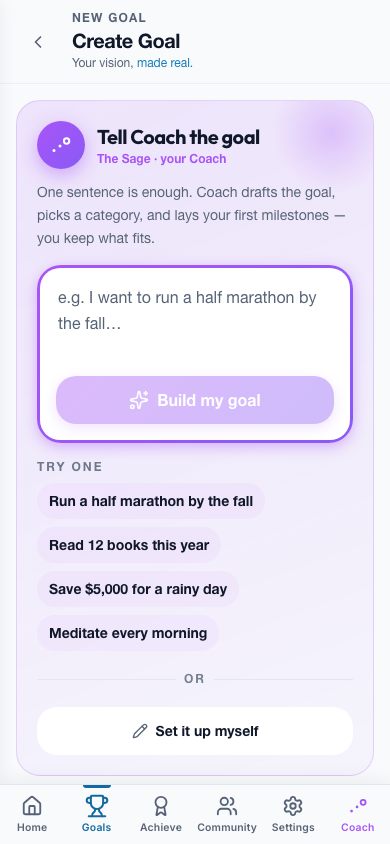
- Quick create — just a Goal Title and an optional Description. Enhance it later from the detail page.
- Start from a template — pick a curated goal path with a suggested shape and milestones.
- Add more details — expand the form to set everything up front.
Every field in the detailed form
| Field | Required | Details |
|---|---|---|
| Name | Yes | A short, memorable goal name |
| Description | No | Context and motivation for the goal |
| Type | Yes | Habit, Short Term, Long Term, Ongoing, Bucket List, New Year's Resolution, or Other |
| Category | Yes | Family, Health, Relationship, Socializing, Spirituality, Career Development, Life Vision, Personal Development, Wealth Creation, or Other |
| Target date | No | When you want to achieve it |
| Cover image | No | A hero image for your goal card |
| Milestones | No | Sub-steps to break the goal into chunks |
Coach
Tap Auto-Generate to have your Coach suggest 3–5 milestones from your goal name (needs at least 3 characters), or Refine Description to sharpen the context. Before you save, Check my goal gives your Coach a chance to offer up to three one-tap tweaks — a sharper title, a realistic target date, a missing milestone. Dismiss any of them, or skip the check entirely.
Goal detail page
Tap any goal card to open its detail page:
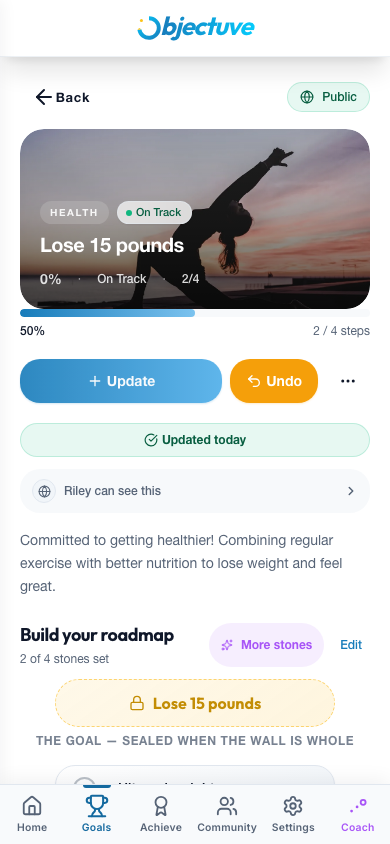
- Hero header — cover image, title, category, type, progress, and days remaining
- Progress card — completion percentage and milestone progress
- Partner row — shows "Partnered with [name]" if the goal is shared with your accountability partner
- Insight — a contextual Coach tip ("Add Milestones," "Almost There!," "Time to Check In")
- Milestones — sub-tasks with completion checkboxes
- Timeline — an immutable log of every update and event
- Encouragements — support from other users following your goal
If a goal is missing two or more of category, type, cover image, or milestones, an Enhance Your Goal banner offers to fill in the gaps and unlock richer Coach insights.
From the detail page, you can also Add Update, Edit, Toggle Privacy, Share, Complete (awards 500 XP), or Delete a goal.
Goals with multiple updates show a progress chart with Day, Week, and Month views, plus a pace indicator for whether you're ahead, on track, or behind — measured against how often you said you'd update, not your target date.
Public goals
Goals are private by default. Toggle a goal to public and anyone with the link can view it — no sign-in required.
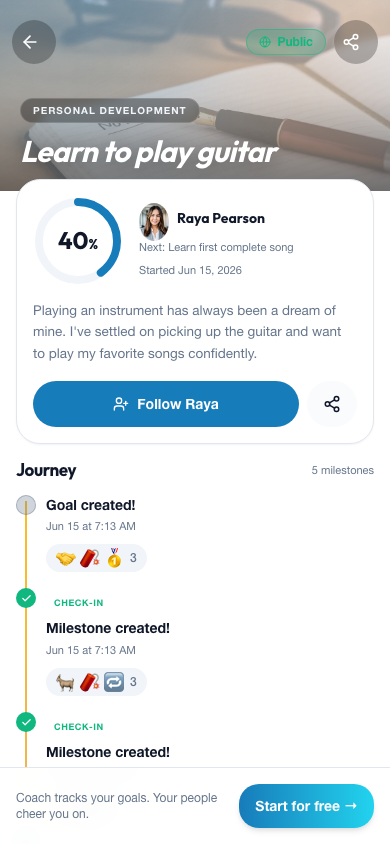
The public page leads with a cover hero and the goal title, then a progress ring, the owner, their current streak, and a "next milestone" hint. Below that is the Journey — a typed timeline distinguishing streak milestones, badge unlocks, Coach insights, check-ins, and the goal's creation. Visitors can react with emoji, follow the owner, or share the link. Signed-out visitors get a gentle "Start for free" prompt.
Public profile
Your profile lives at objectuve.com/u/<your-username> and is public — share it and anyone can see your progress without signing in.
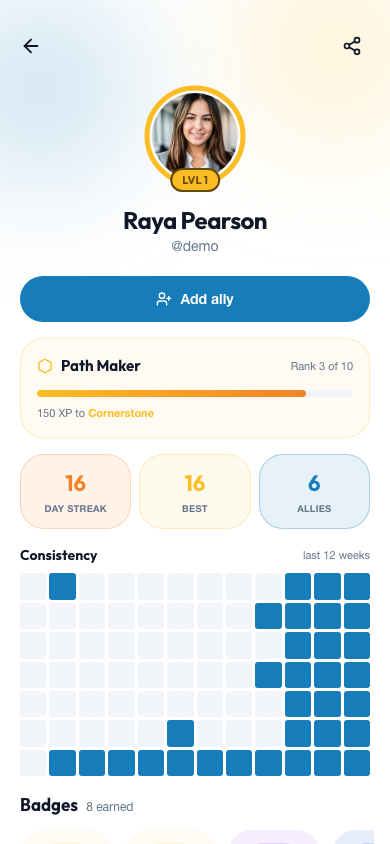
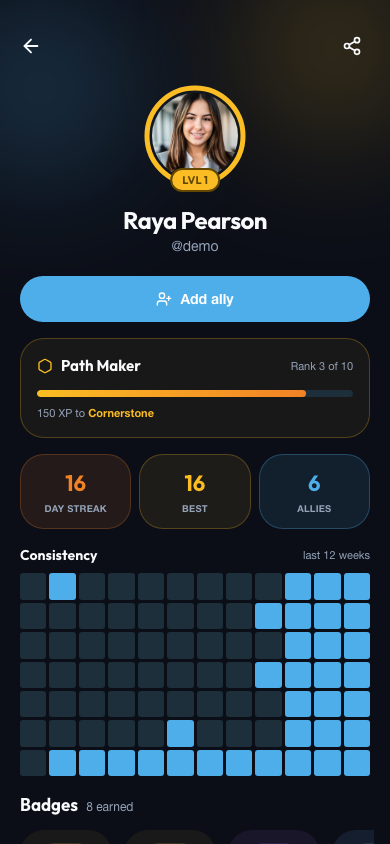
- A level ring around your avatar and your current rank, with XP to the next rank
- Day streak, best streak, and allies stat tiles
- A 12-week consistency heatmap of your active days
- A rarity-tiered badge showcase, plus the next badge you're closing in on
- Your public goals
Signed-in visitors can add you as an ally straight from your profile — and it's first-class in both light and dark mode.