

The Coach tab
Everything personal to you, in one place.
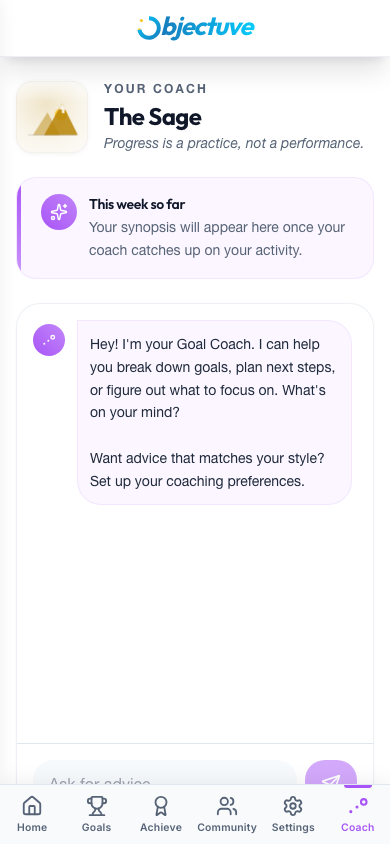
From top to bottom you'll find:
- Today's check-in — when your Coach has a prompt for you, it appears at the top with quick actions to log an event on a goal, update your mood, or dismiss it
- This week so far — a short synopsis your Coach writes about your recent activity
- Chat — ask your Coach anything in the Ask for advice… box; it reads your goals, streaks, and check-ins to answer with something specific
- Persona summary — your current persona with editable tiles for Tone & Depth, Focus areas, and Frequency
- Personality & goal style — your Enneagram result and Goal style snapshot
Enneagram assessment
The optional Enneagram assessment helps your Coach understand how you think and act so it can show up in a way that lands. About 40 quick forced-choice questions (~5–10 minutes) produce your dominant type and wing, plus a short, non-clinical description.
INFO
It's entirely opt-in — skipping it changes nothing else about your experience. Once complete, your Coach quietly tailors its language to your type. Retake it any time; past results are kept as history.
Start or resume it from the Coach tab, from Settings → Personalization, or from a discovery card that appears on the Dashboard after about a week of activity.
Goal style
The Goal style snapshot is four quick, optional questions — how you've tracked goals before, when you do your best work, your biggest challenge, and whether you prefer to work solo, with a partner, or in a group. You answer these during onboarding (or skip them), and edit them any time from the Coach tab. Your Coach uses them to tune its recommendations to the way you actually work.