

Mood check-in
Two seconds to log how today felt — and it keeps your streak alive.
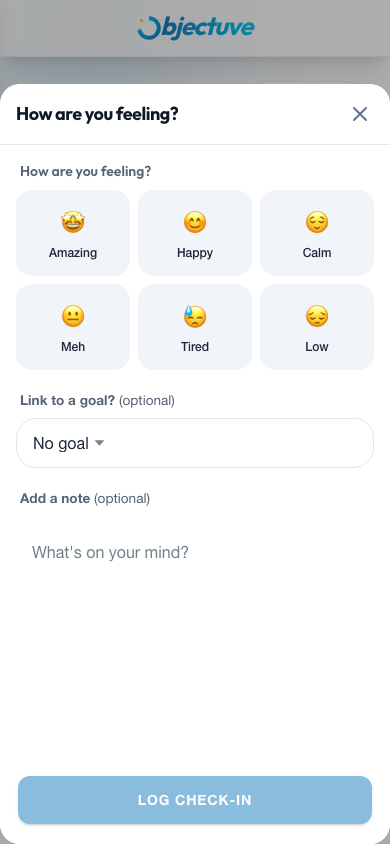
Tap How's today feeling? in the Today's practice card on the Dashboard (or the Mood card in the Streamlined view). You can also reach it from your Coach's daily check-in.
- Select a mood. Amazing 🤩, Happy 😊, Calm 😌, Meh 😐, Tired 😓, or Low 😔.
- Link it to a goal — optional. Connect the check-in to one of your active goals.
- Add a note — optional. Up to 300 characters.
- Tap Log Check-In. Done.
Coach
Your mood data feeds into Coach insights, helping your Coach spot patterns between how you feel and how your goals are progressing.
Once logged, the prompt row in Today's practice swaps to a confirmation showing your selected mood emoji and "Mood logged today."