

Habits & streaks
Habits turn a goal into something you do — not something you mean to do.
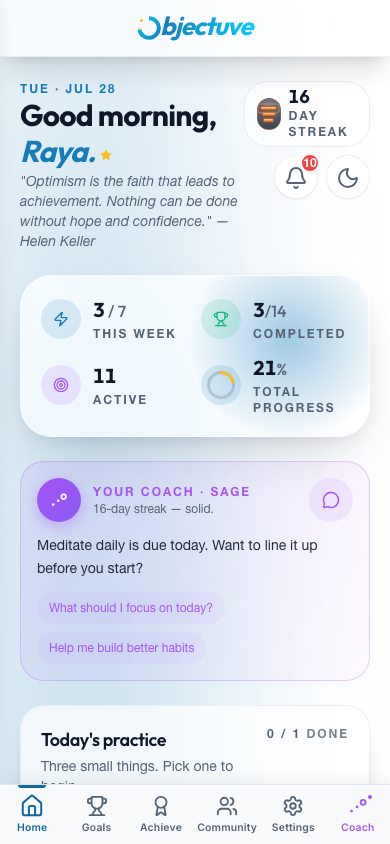
Creating a habit
- Start a new goal. Tap the + on the Dashboard or Goals tab.
- Choose Habit as the type. A recurrence section appears with four patterns.
- Pick a pattern and save. It lands in Today's practice, ready for its first check-in.
| Pattern | How it works |
|---|---|
| Daily | Due every day |
| Weekly | Pick the day(s) of the week — due on those days each week |
| Custom days | Toggle specific days (M T W T F S S) — due only on those days |
| Every N days | Enter a number (1–365) — due every N days after your last check-in |
Checking in
Two places to check in on a habit:
- Dashboard → Today's practice — one-tap check button next to each due habit. The ring around it fills green once you've logged for the day.
- Goal detail page — the Check In button in the habit tracking section.
Each check-in earns 25 XP and extends your streak.
Try it — tap the ring
Morning walk
Due today
Nothing else is required today. One tap and you are done.
Walk it through
Build a habit, keep a streak
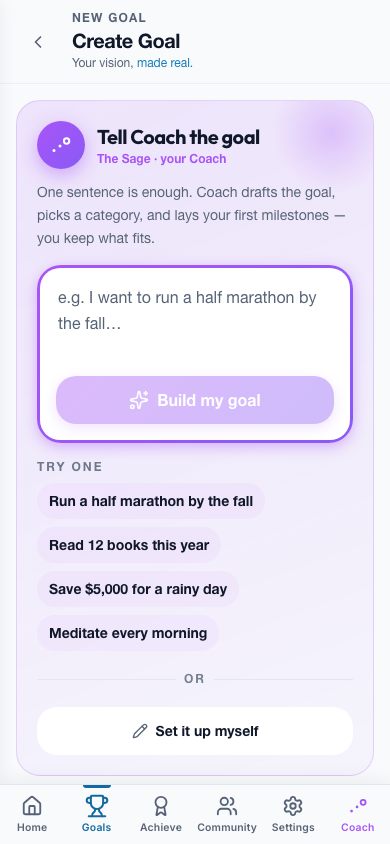
Choose Habit as the type
Start a new goal from the + on the Dashboard, then pick Habit. A recurrence section appears underneath.
Step 1 of 5: Choose Habit as the type. Start a new goal from the + on the Dashboard, then pick Habit. A recurrence section appears underneath.
How streaks work
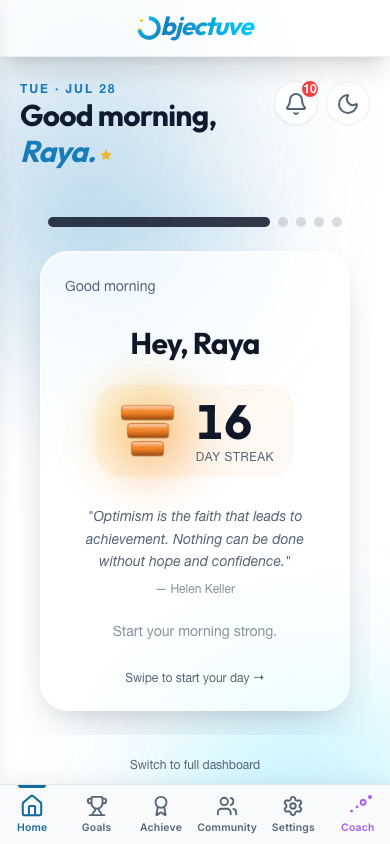
Your streak counts any day you take at least one meaningful action — habit check-ins, goal progress updates, and mood logs all count (creating your very first goal also counts, as a one-time credit). You don't need to complete a specific habit; one logged action keeps the streak alive.
INFO
Simply signing in does not count. A streak is about doing, not visiting.
Streak boundaries are evaluated in your local timezone, set automatically when you sign in — midnight means midnight where you are. Maintaining your streak awards 50 XP for each day you keep it going.
Coach
You're allowed the occasional off day. Objectuve forgives single missed days with a small "rest day" budget: one rest day to start, plus one more for every 7 days of streak. A forgiven day is skipped — it doesn't add to your streak number, but it doesn't reset you to zero either.
Try it here
Miss a day and see what happens
Tap any day to skip it. One rest day to start, plus one more for every seven days of streak — two misses in a row still breaks it.
✓ Counted · – Forgiven · × Broke it
Streak
14
Rest days left
3
XP earned
1,050
Verdict
Perfect two weeks
Heads up
Two missed days in a row will still break the streak. Your longest streak is always preserved, even after a break.
Your streak, your way
The default streak visual is a growing stack of stones. Supporters can switch to a flame in Settings → Supporter — it's a purely cosmetic choice.
Habit goals display a consistency % on the goal hero card rather than a raw progress percentage — it's a fixed trailing-30-day window, not the habit's own cadence: how many of the last 30 days you actually checked in on, out of how many were expected, not counting any day a freeze covered.
Celebrations
Reaching a streak day triggers a celebration that scales with the moment:
| Moment | What happens |
|---|---|
| Early days | A quick toast |
| Day 7, 14, or any rest-day rescue | A richer moment |
| Day 30+, standout marks (50, 100, 365), or a new personal best | A full cinematic celebration |
Celebrations respect your device's reduced-motion preference.
Streak freezes
Streak freezes build up automatically, separate from your rest-day budget above — one to start, plus one more for every 7 days of streak. A freeze is meant to cover a day you know ahead of time you'll miss, without touching your rest days.
- Open the habit's Goal Detail page. Freezes are spent there, under Streak Freezes.
- Tap "Cover a day ahead." Pick any day from today through two weeks out.
- Confirm. That day's covered — it won't count toward Consistency, but it won't break your streak.