

Meet your Coach
Your Coach is the voice behind every check-in prompt, insight, and notification — configure it once, retune it any time.
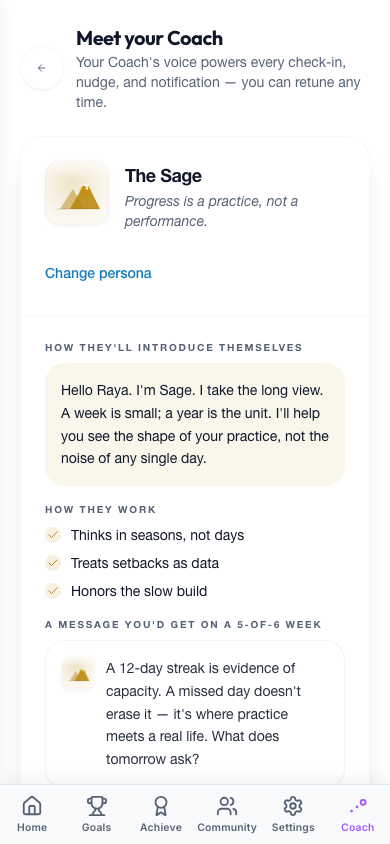
Open Meet your Coach from Settings → Meet your Coach, or tap Change persona on the Coach tab.
- Pick your Coach. Choose one of six personas — selecting one shows rich context first: a short intro, how they work, a sample insight and notification, and who they work best for.
- Dial it in. Set the tone and your focus areas.
- Set the rhythm. Choose how often you hear from your Coach.
| Persona | Tagline |
|---|---|
| The Captain | Clear eyes, steady course. |
| The Spark | Energy is contagious — starting now. |
| The Mirror | The answer is usually already in your head. |
| The Rival | You said you wanted this. |
| The Sage | Progress is a practice, not a performance. |
| The Analyst | The data tells a story. |
Tone runs from Gentle (1) through Balanced (3, default) to Tough (5). Focus areas let you pick a primary focus — Streaks, Milestones, Goals, Reflections, and more — plus an optional secondary.
| Frequency | When you hear from your Coach |
|---|---|
| Every day | Daily check-in prompts and insight cards |
| When I'm active | Only on days you sign in |
| When I need it | On streak breaks, overdue milestones, or inactivity |
| Weekly | A single Sunday planning + Friday review |
Coach
A live preview shows how your Coach will sound with your current settings before you save. If you skip setup entirely, defaults are Spark · Tone 3 (Balanced) · Streaks · When I need it.
Hear your Coach
Hear your Coach
Momentum's building — one tap and you're on day 4.
A preview of the voice — your Coach adapts to you over time.
Walk it through
Tune your Coach
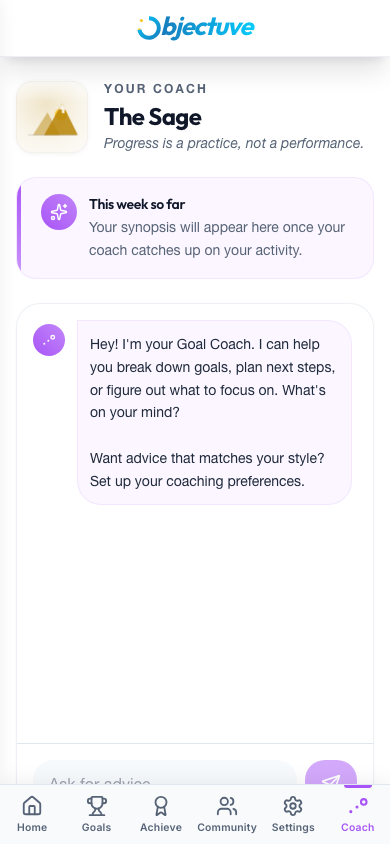
Pick one of six Coaches — each shows a sample before you commit.
Step 1 of 4: Pick one of six Coaches — each shows a sample before you commit.